Your AI account
Use your ChatGPT account, a paid Claude plan or your own API keys. What the agent reads goes to that provider.
Your AI, extended.
Ritemark turns a folder on your computer into a workspace where ChatGPT or Claude work with you.
Works with your ChatGPT account or a paid Claude plan.
Free and open source. Mac and Windows.
See how it works
Write with your AI, right in your own documents.
Format on the page, not in code.
Work with ChatGPT or Claude.
Plain files, saved on your computer.
Your AI lives in a chat. Your work lives in your files.
 ChatGPT
 Claude
 Word
 Excel
 Obsidian
Ritemark brings them into the same window.
Write together
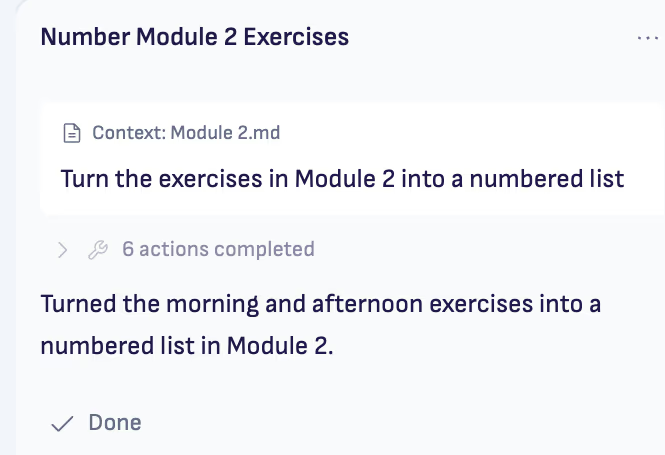
Write like in Word. Ask your AI to help with a paragraph, turn notes into a draft, or work through a whole project.
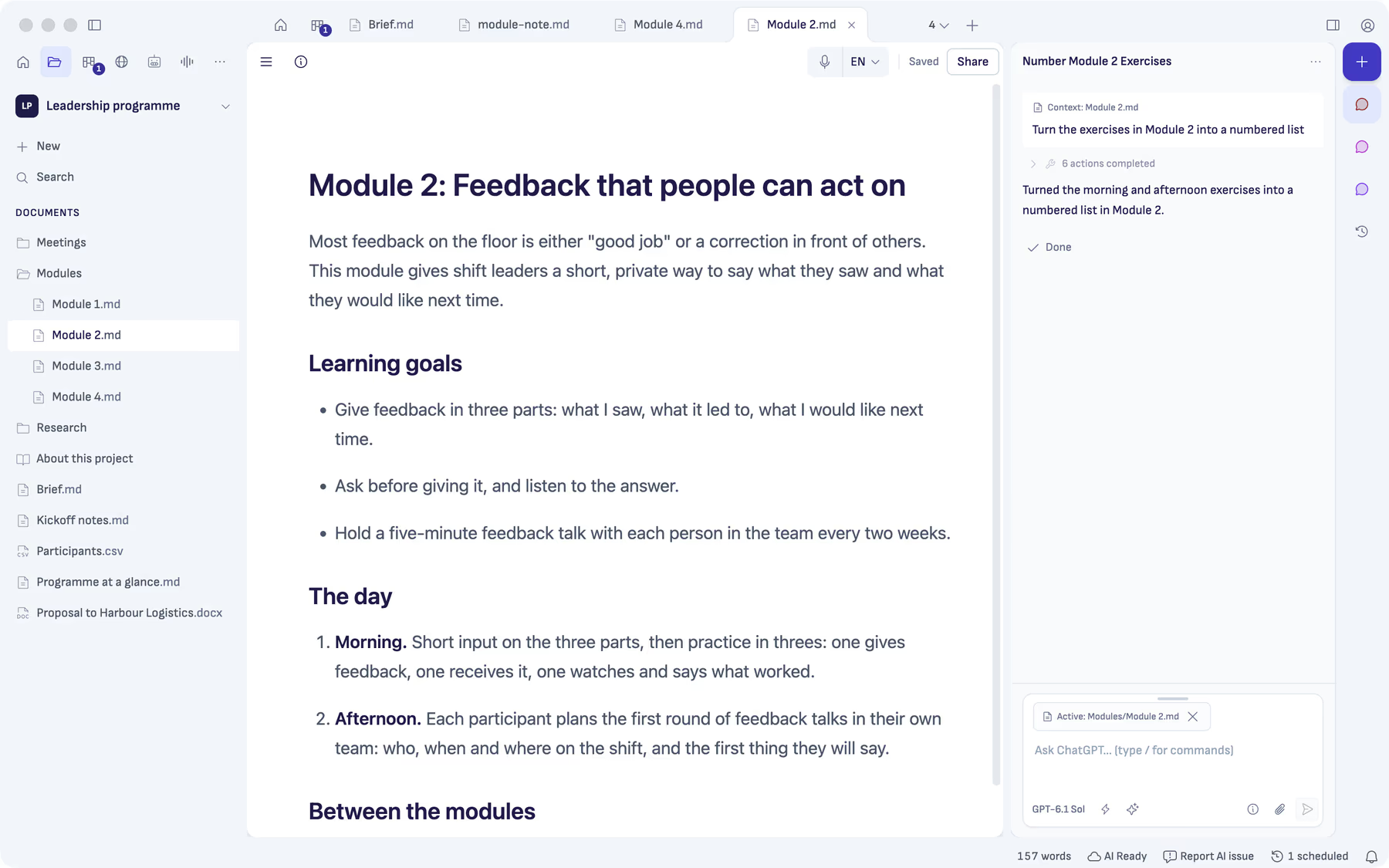
Open a folder. Your notes, research and drafts stay together in one project.
Write yourself, ask for a draft, or leave a comment on the passage you want to change.
The result lands in your document. Read it, change it and make it yours.
Comments
Select a passage and leave your AI a comment. It works on that part, with the rest of your project close at hand.
Want a plan first?Turn on Plan only. ChatGPT and Claude show their plan without changing files until you approve.


Your files
On your computer, in an ordinary folder. No Ritemark account. No Ritemark cloud.
Free and open sourceUse your ChatGPT account, a paid Claude plan or your own API keys. What the agent reads goes to that provider.
Auto is the default. Choose Plan only when you want to discuss the approach before the AI edits a file.
MIT-licensed source code. Anonymous usage data can be switched off in Settings.
Explore Ritemark
Take a look around. Choose a view, then a numbered point to find it in the real app.
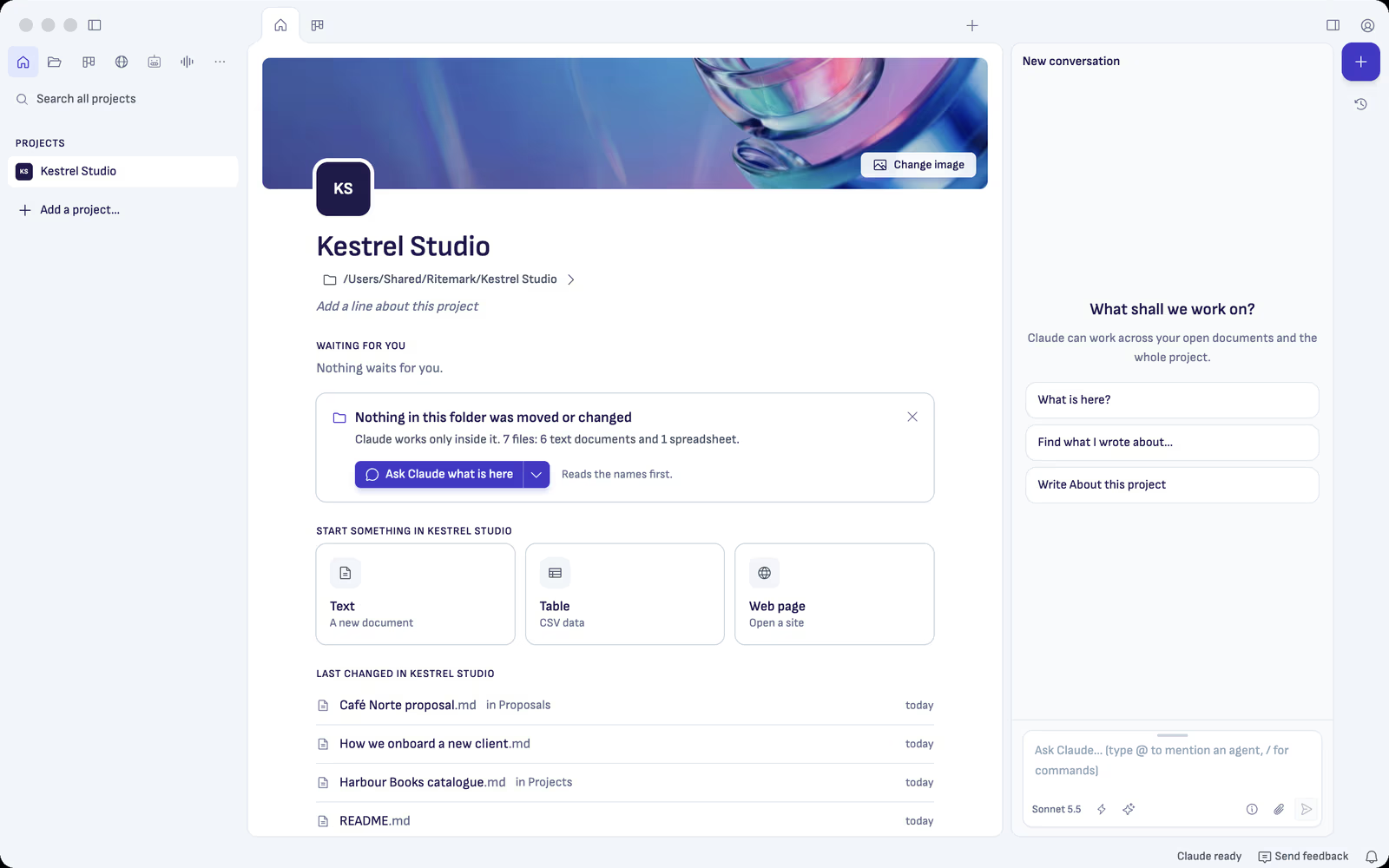
1 / Your places
Video tutorials
Short films show one task each in the real app. Click one to watch it here.
Markdown
You write on a normal page. Ritemark saves it as Markdown, a plain-text format that your AI can read and edit.
Open it in another text editor whenever you like. When someone needs Word or PDF, share a copy in that format.
Ship the pilot to two teams first.
# Launch plan

Ship the pilot to two teams first.

- Week 1: brief the team leads
- Week 2: first feedback
Who it’s for
Consultants, service designers, analysts, technical writers and trainers. The work starts with your thinking.
Transcription
Drop in a recording. Get a transcript, decisions and action items linked to their moments in the audio. Then ask your AI to turn them into the note you send.
Transcribe on your computer, Mac or Windows, or use ElevenLabs with your own key. Your chosen AI provider writes the summary.

Get started
No new workflow to learn before you can start. Bring a folder and something you want to write.

Download for Mac, or install from the Microsoft Store on Windows.
ChatGPTClaudeUse your ChatGPT account, including Free, or a paid Claude plan.
Start with your own project, a new folder or the sample project.
Try the suggested first request, or bring a task of your own.
Your AI, extended.
Your files and your AI, together in Ritemark.
Free and open source. Mac and Windows.
Other Mac downloads and release notes


